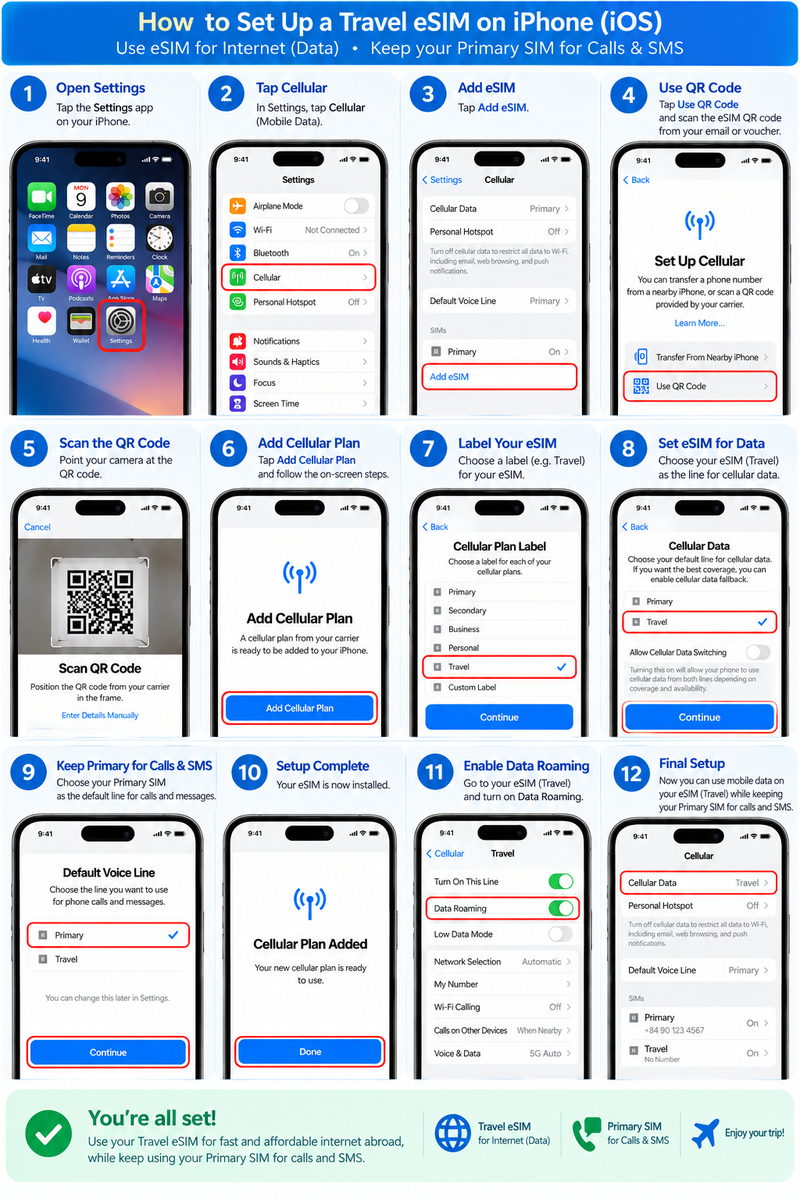
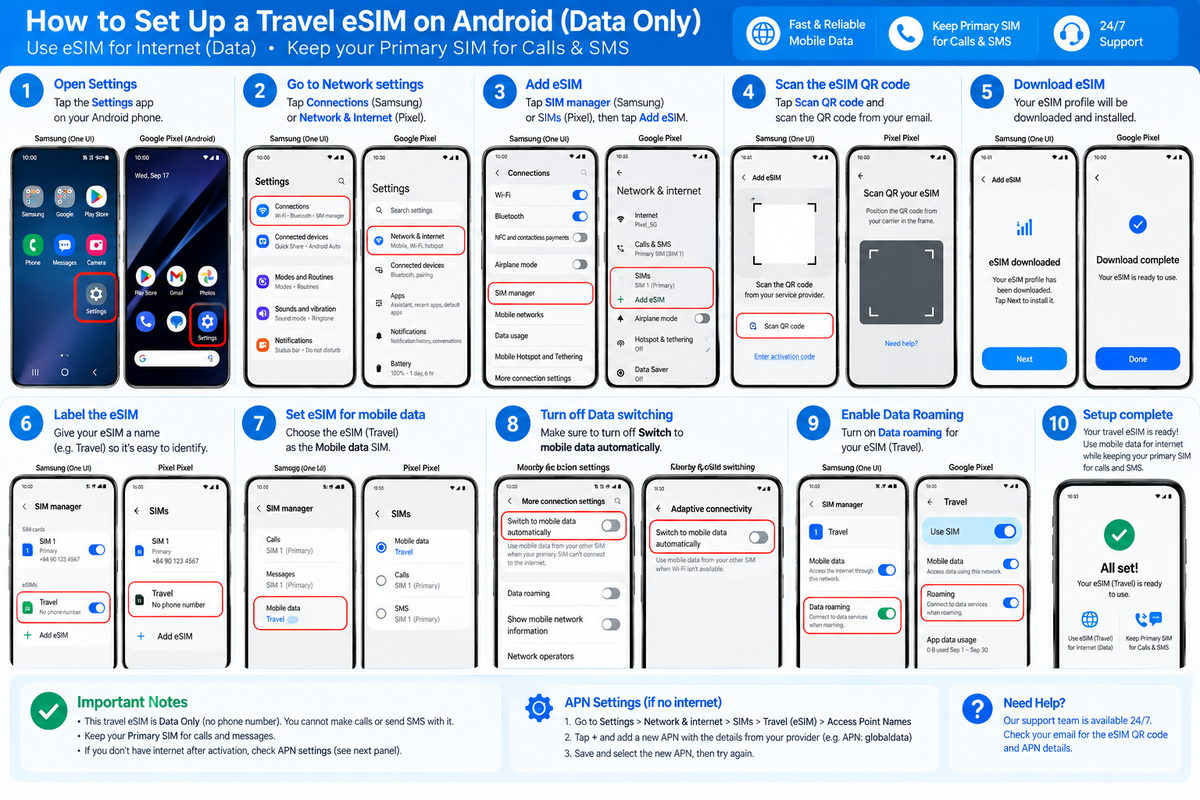
Install on a carrier-unlocked, eSIM-compatible device over Wi-Fi. Follow the package instructions for activation and data roaming.
2 GB / day · 2 days
eSIM Singapore, Malaysia, Thailand, Indonesia – 2 GB, 2-day plan
Coverage
Singapore, Malaysia, Thailand, Indonesia - Tiktok
Price
US$5.46
Activation
Starts on first network connection at destination
Data allowance
Daily allowance
Top-up
Not listed as supported
Fair-use policy
2 GB high-speed data per day. After the 2 GB/day is used, speed is reduced to 128 Kbps.
Countries, carriers & APN
IndonesiaXL / Smartfren · 4G, 5GAPN: plus
MalaysiaU-Mobile / Digi / Celcom · 4G, 5GAPN: plus
SingaporeSingtel · 4G, 5GAPN: plus
ThailandDTAC / AIS · 4G, 5GAPN: plus
Install on a carrier-unlocked, eSIM-compatible device over Wi-Fi. Follow the package instructions for activation and data roaming.
BEFORE YOUR NEXT ADVENTURE
How to use your Asia eSIM
01
Check compatibility
Your phone must support eSIM and be carrier-unlocked. Device availability varies by model and country of purchase.
02
Install over Wi-Fi
Use the QR code or manual installation details delivered after payment and issuance. Keep your private order link for the installation PDF.
03
Connect on your trip
Select the eSIM for mobile data and follow your package's activation instructions. Country coverage and the start of validity differ by plan.
Installing on iPhone
Open Settings > Cellular / Mobile Service > Add eSIM > Use QR Code. Follow the instructions included with your eSIM.
Installing on Android
Open your device's SIM manager or Mobile Network settings and choose Add eSIM. Menu names vary by device. Follow the delivered instructions.
Do all Asia plans have the same coverage?
Coverage and local networks can differ by package. Check the countries and carriers listed for your selected plan before purchasing.
When does my plan start?
Open Coverage & specs on your chosen plan to see its activation method. Some plans start on first network connection; others can start when installed or scanned.